
Email or username
The standard route. Either identifier plus your password. If you have forgotten which username you chose, the email address on the account still works.
Sign-in happens on Shuffle itself: email or username plus your password, then a two-factor code if you have enabled it. This page explains the process, what to do when access breaks and how to keep the account locked down.
shuffle.irish does not host a login form. Nothing on this page collects credentials. The card on the right is a visual guide that opens the real Shuffle platform, where sign-in actually takes place.
Visual guide only. Sign-in is completed on the official Shuffle platform.
The sign-in panel is the same on desktop and mobile. It opens as an overlay rather than a separate page, with Register and Login as two tabs at the top.
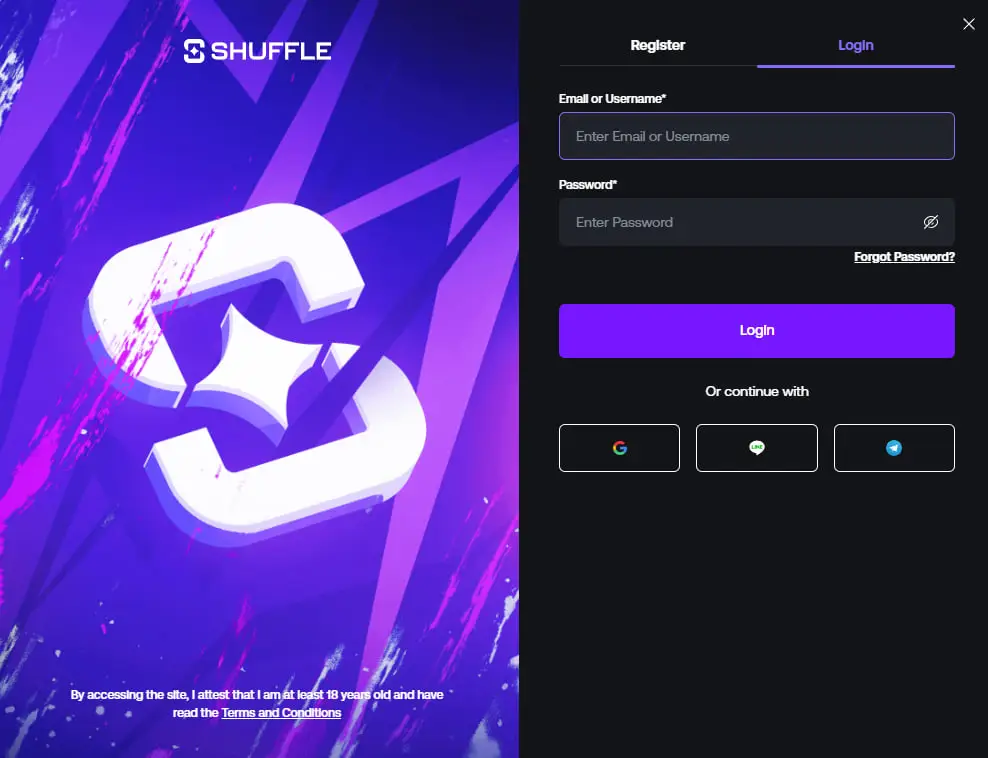
The standard route. Either identifier plus your password. If you have forgotten which username you chose, the email address on the account still works.
Shuffle also offers continue-with options through external providers. Use the same method every time, because switching creates confusion about which account holds your balance.
With 2FA enabled, a rotating six-digit code is required after the password. It is the single most effective protection on a crypto casino account.
The link sits under the password field on the login panel. Enter the email address on the account and a reset message is sent. Check spam and promotions folders, because reset mail lands there often.
If you replaced a phone without moving your authenticator, you will need the backup codes issued when 2FA was set up. Store those somewhere offline now, before you need them.
Confirm you are using the exact address on the account, wait a few minutes and check filters. If nothing appears, contact Shuffle support from inside the platform.
Repeated failed attempts can trigger a temporary lock. Wait rather than retrying in a loop, then reset the password properly. Live chat support handles anything that persists.
| Symptom | Likely cause | What to try |
|---|---|---|
| Password rejected | Autofill entered an old value | Clear the field, type it manually, use the eye icon to check |
| 2FA code rejected | Device clock drift | Enable automatic time on the phone and request a fresh code |
| Page will not load | Browser cache or an extension | Hard refresh, try a private window, disable blockers for the site |
| Session drops repeatedly | Cookies blocked | Allow cookies for the platform in browser settings |
| Login panel does not open | Script blocked | Allow scripts for the site or switch browsers to test |
| Site looks different than usual | You may not be on the real domain | Stop, close the tab and reopen from a saved bookmark |
Rule of thumb: if a page asks for your password and you did not arrive there from your own bookmark or a link you trust, do not type anything. Phishing pages copy interfaces convincingly, so see the safety page for what to check.
The mobile panel is identical, just full-width. If you have pinned Shuffle to your home screen, the session usually persists between launches. That is convenient, but it means anyone holding an unlocked phone reaches a signed-in account.
If you have not registered yet, the referral code matters more than anything on this page. It has to go in during account creation, before you can open Shuffle Originals or anything else in the lobby.
200% first deposit bonus up to $1,000, attached at registration.
Create an accountNo. shuffle.irish is an information site and does not host an authentication endpoint. Every login button here opens the official Shuffle platform, where the sign-in actually happens.
Either. The login field accepts both, so use whichever you remember reliably.
Use the Forgot Password? link under the password field on the login panel. A reset email goes to the address on the account. Check spam and promotions folders if it does not appear within a few minutes.
Usually a clock problem. Authenticator codes depend on accurate device time, so turn on automatic date and time, then request a fresh code. If it still fails, you will need your backup codes or support.
Sessions generally persist, particularly when the site is pinned to the home screen. Treat that as a reason to keep the phone locked, since an unlocked device then reaches a live account.
The opposite. SHFLVIP goes into the Referral Code field on the registration form, before an account exists. Logging in comes afterwards, and the promo code page covers the order of operations.
Head to the platform directly. If you are registering for the first time, put SHFLVIP in the Referral Code field before you finish.